
Architect Your Infrastructure with Precision
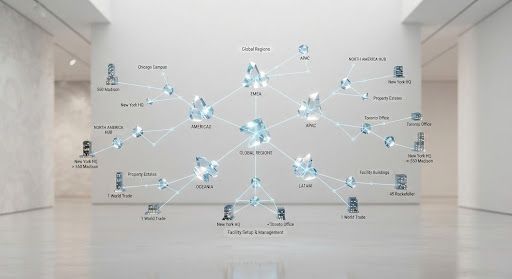
Define complex property hierarchies from global estates down to individual equipment units. Haag's intelligent setup tools eliminate structural ambiguity and streamline operational reporting.
Key Benefits
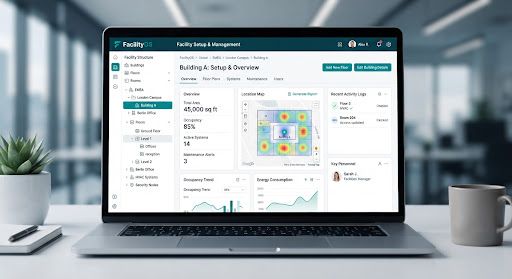
Hierarchical Property Modeling
Map global estates, properties, buildings, floors, and units with parent-child relationships that mirror your real-world structure.
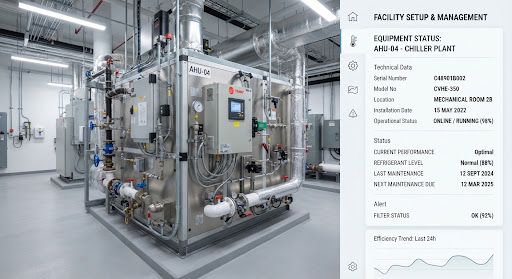
Equipment & Asset Tagging
Assign QR-coded tags to every asset for instant identification, maintenance tracking, and audit readiness.

Bulk Import & Validation
Upload entire property portfolios via CSV with automated validation that catches duplicates and structural errors.
Visual Hierarchy Builder
Explore the capabilities
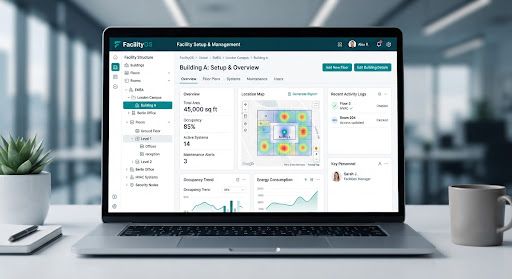
Visual Hierarchy Builder
Drag-and-drop interface to construct your property tree. Add buildings, floors, and units with automatic parent-child linking.
How Facility Setup & Management Works
A simple, step-by-step process.
Create Property
Define your top-level property or estate with address, coordinates, and ownership details.
Add Buildings & Units
Build out the hierarchy with buildings, floors, and individual units. Use bulk import for large portfolios.
Tag Equipment
Assign QR tags to equipment and assets. Link them to their parent units for traceability.
Validate & Publish
Run validation checks, preview the structure, and publish to make it live for your team.
Frequently Asked Questions
Most setups are completed within 1-2 weeks, depending on the size of your property portfolio.
No. Haag works with your existing infrastructure. Smart hardware enhances the experience but is not required.


