
Why setup matters
Every other feature in Haag — service requests, metering, visitor management, payments — depends on one foundational thing: an accurate digital model of the facility. If the system does not know that Unit 4B exists, it cannot send a utility bill to the resident in 4B. If it does not know that the generator is on the ground floor of Building C, it cannot schedule maintenance for it.
Facility setup is the first thing you do on Haag, and it is the step that determines how well everything else works.
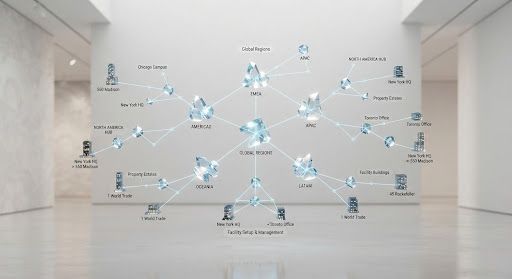
From blueprint to digital twin
The setup process mirrors the physical structure of the property:
- Property — define the overall estate or complex, with its address, land area, and property type (residential, commercial, mixed-use).
- Buildings — add each building with its number of floors, construction type, and year built.
- Floors — create floor plans for each building, including residential floors, parking levels, and rooftop areas.
- Units — define each unit (apartment, office, shop) with its type, size, number of bedrooms, and occupancy status.
- Common areas — mark shared spaces like gyms, pools, lobbies, and corridors that are maintained collectively.
- Equipment — register major assets (generators, pumps, elevators) with their location, make, model, and warranty.
Bulk import for large properties
For a 200-unit estate, creating each unit manually is not practical. Haag supports bulk import via CSV — upload a spreadsheet with unit numbers, types, and sizes, and the system creates all units in one pass. The same applies to equipment: a facilities audit spreadsheet can be imported to populate the asset registry in minutes.
Approval workflows for multi-building estates
In large estates managed by committees, setup changes often need approval. When a facility manager adds a new unit or reclassifies a common area, the change can be routed to the estate committee for approval before it takes effect. This ensures that the digital model stays accurate and accountable.
The payoff
Once setup is complete, every other module has the context it needs. Service requests are automatically associated with the right unit. Meter readings are linked to the correct unit. Visitor approvals route to the right resident. Billing is calculated per unit based on its type and size. The setup is a one-time investment that pays dividends every day thereafter.


